MCP server
Give your AI agent a camera with the HashShot MCP server.
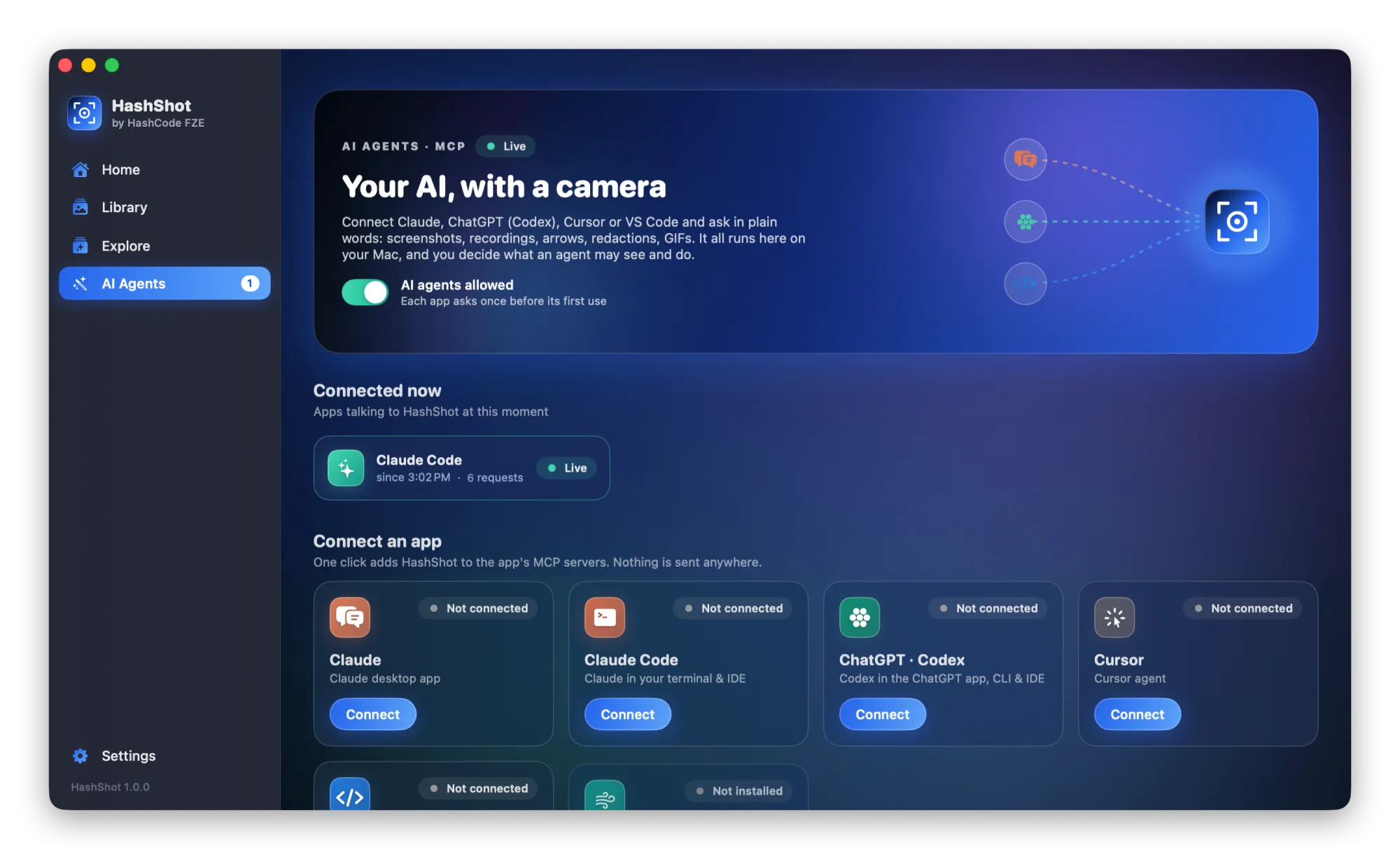
HashShot comes with a local MCP server. Connect your AI app with one click, then ask in plain words for screenshots, recordings, markup or captions. The agent does the work in HashShot, on your Mac, and asks before it captures.
How it works
Three steps.
Open AI Agents
In the HashShot window, open AI Agents and choose your app.
Connect
Click Connect. HashShot adds itself to that app's MCP settings.
Ask
Ask your agent to capture, record, annotate, redact or export. Approve once, or every time.
What you get
Built for work you share.
Part of HashShot, the screenshot and screen recording app for Mac that keeps everything on your Mac.
Screenshots on request
Your agent can capture a window, an area or the whole screen, including scrolling pages, and see the result.
Recordings with auto zoom
Ask for a recording of a flow, then a trimmed, zoomed, vertical or captioned version as MP4 or GIF.
Markup and redaction
Agents can add arrows, steps and blur, or redact private details before sharing.
You stay in control
Each app asks permission before it captures or records, and you can disconnect it at any time.
FAQ
Questions, answered.
What is an MCP server?
MCP, the Model Context Protocol, is an open standard that lets AI apps use tools. HashShot's MCP server gives them screenshot, recording and editing tools.
Which AI apps work with HashShot?
Any app that supports MCP, including Claude, Claude Code, ChatGPT Codex, Cursor and VS Code.
Does the AI see my screen all the time?
No. An agent only gets a capture when it asks for one, and HashShot asks your permission before it captures or records.
Where do the captures go?
They are saved on your Mac. The AI app receives the images or text it asked for, under that app's own privacy policy.
More from HashShot
Try HashShot free for 7 days.
Then $25 once, with a year of updates. No subscription, no account.