Screen recorder for Mac
A screen recorder for Mac that edits the video for you.
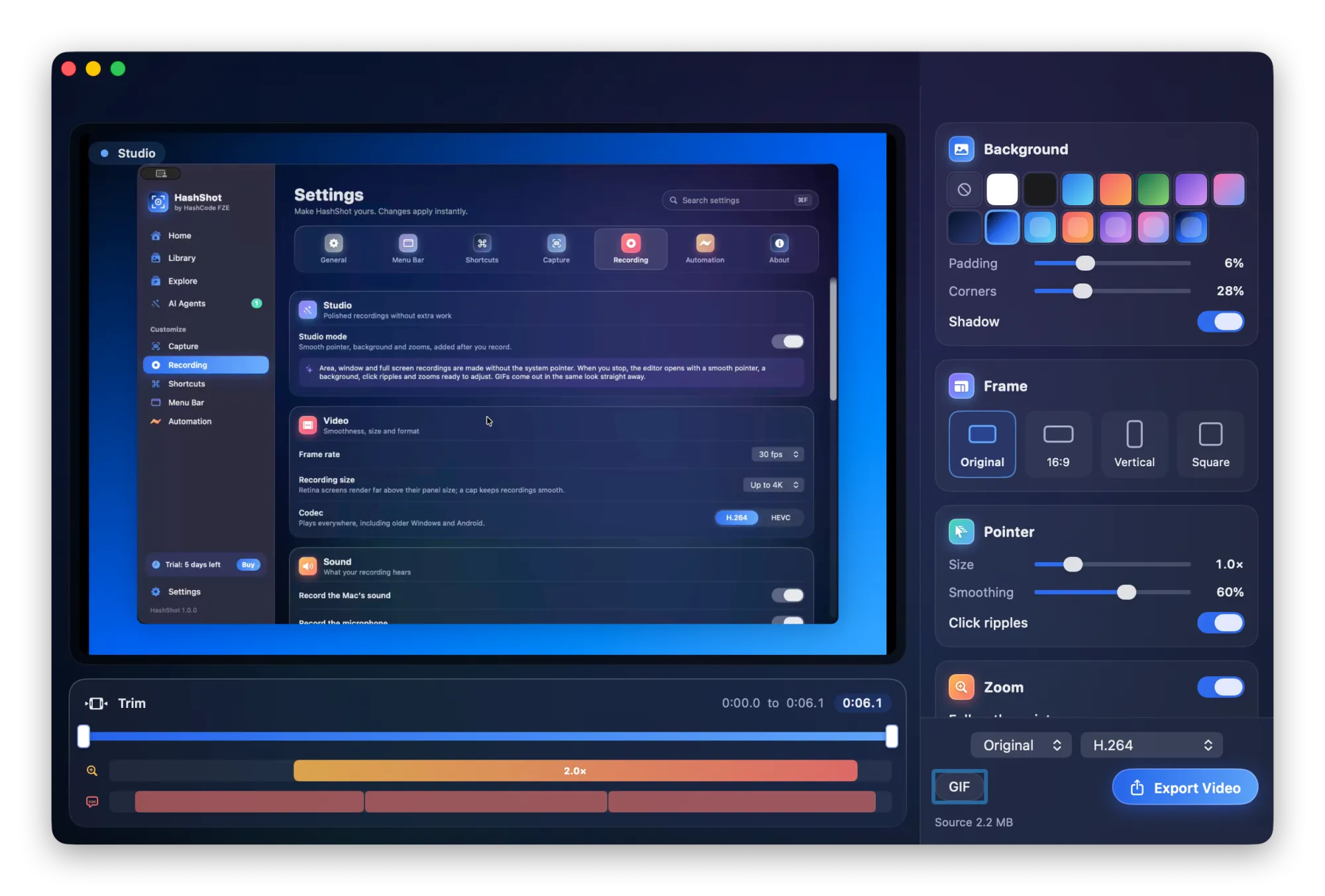
Record an area, a window or the whole screen with sound. With Studio mode on, HashShot turns the raw recording into a polished video: smooth pointer, zooms on every click, a background and captions, ready in seconds.
How it works
Three steps.
Turn on Studio mode
Open Settings, Recording and switch on Studio mode. It takes one click and stays on.
Record as usual
Pick an area, a window or the whole screen. Talk while you click through your flow.
Stop and export
The editor opens with everything applied. Adjust anything, then export MP4 or a GIF.
What you get
Built for work you share.
Part of HashShot, the screenshot and screen recording app for Mac that keeps everything on your Mac.
Smooth pointer and click ripples
HashShot records your pointer path separately and draws a calm, steady pointer you can resize, with a ripple on each click.
Auto zoom that follows you
Every click becomes a smooth zoom, and the camera follows your pointer while it is zoomed in. Move, add or delete zooms on the timeline.
Wide, vertical and square
Export the same recording as 16:9, 9:16 or a square, either fitted or filled and panning with your pointer.
Captions and transcripts
Speech becomes captions using speech recognition on your Mac, so no audio is uploaded. Edit lines, burn them in or save an SRT file.
System audio, microphone and a clear voice
Record the Mac's sound and your microphone together. Quiet voices are raised to a clear level and mixed into one track.
Trim, size and format
Trim the ends, change the volume, choose H.264 or HEVC, and export at original size, 1080p, 720p or as a GIF.
FAQ
Questions, answered.
Can HashShot record my Mac screen with sound?
Yes. It records the Mac's own sound and your microphone. Recording the microphone needs macOS 15 Sequoia or later.
Does the auto zoom work on recordings of a single window?
Yes. Clicks and the pointer path are recorded for area, window and full screen recordings, so auto zoom and the smooth pointer work on all of them.
Are captions created online?
No. Captions use Apple speech recognition running on your Mac. HashShot never sends your audio to a server.
Can I make a GIF instead of a video?
Yes. Record a GIF directly, or export any recording as a GIF. With Studio mode on, GIFs get the same pointer, zooms and background.
More from HashShot
Try HashShot free for 7 days.
Then $25 once, with a year of updates. No subscription, no account.